SDK, API and UART are often mentioned together in AI toy RFQs, but they describe different layers of a product. Supporting one does not automatically mean the others are open or available.
For example:
- A mainboard may expose UART pins without providing an open command protocol.
- A platform may offer an app or cloud API without giving access to device firmware.
- An SDK may support app development but not motor control or source-code ownership.
- A toy may use ChatGPT, Gemini or another model through a managed platform without giving the buyer direct access to that model provider's API.
For an AI plush toy, companion robot or Physical AI product, these distinctions affect development cost, schedule, system ownership and what can realistically be customized.
The Short Answer
- UART is an asynchronous serial hardware interface commonly used to communicate with a motor board, sensor MCU, display or other controller. It does not automatically include an open protocol, firmware access, cloud access or source code.
- API is a defined software interface between systems. It may support app, device, cloud, AI-service or backend integration, but it does not automatically provide a complete development environment or ownership of the platform.
- SDK is a set of development tools, documentation and code resources for app, firmware, device or cloud development. It does not automatically include every API, full source code, unrestricted modification rights or production support.
The right OEM question is not simply “Do you support SDK/API/UART?”
It is:
Which layer is accessible, what documentation is supplied, and what can the buyer actually control?
What Is UART in an AI Toy?
UART stands for Universal Asynchronous Receiver/Transmitter. It is commonly used as a serial communication interface between electronic components.
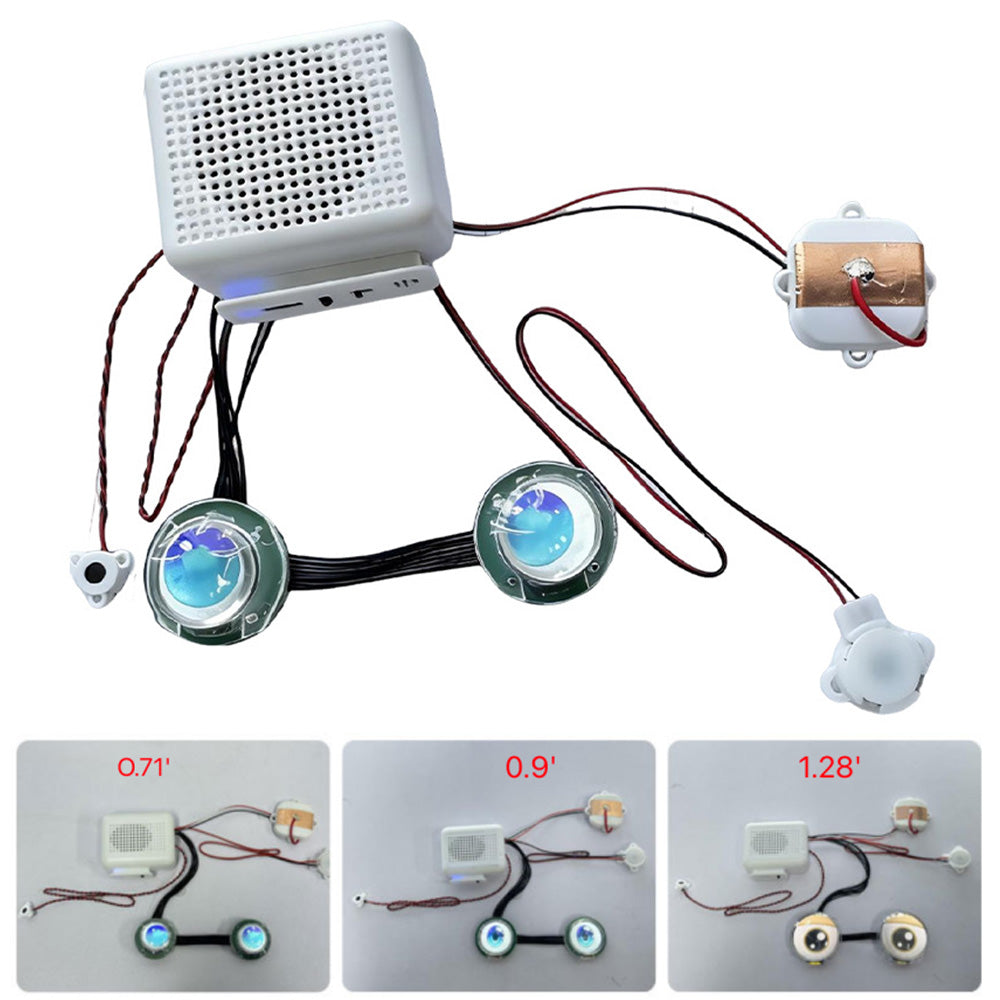
In an AI toy, UART may connect the AI or connectivity mainboard to:
- a servo or motor-control board,
- a touch-sensor controller,
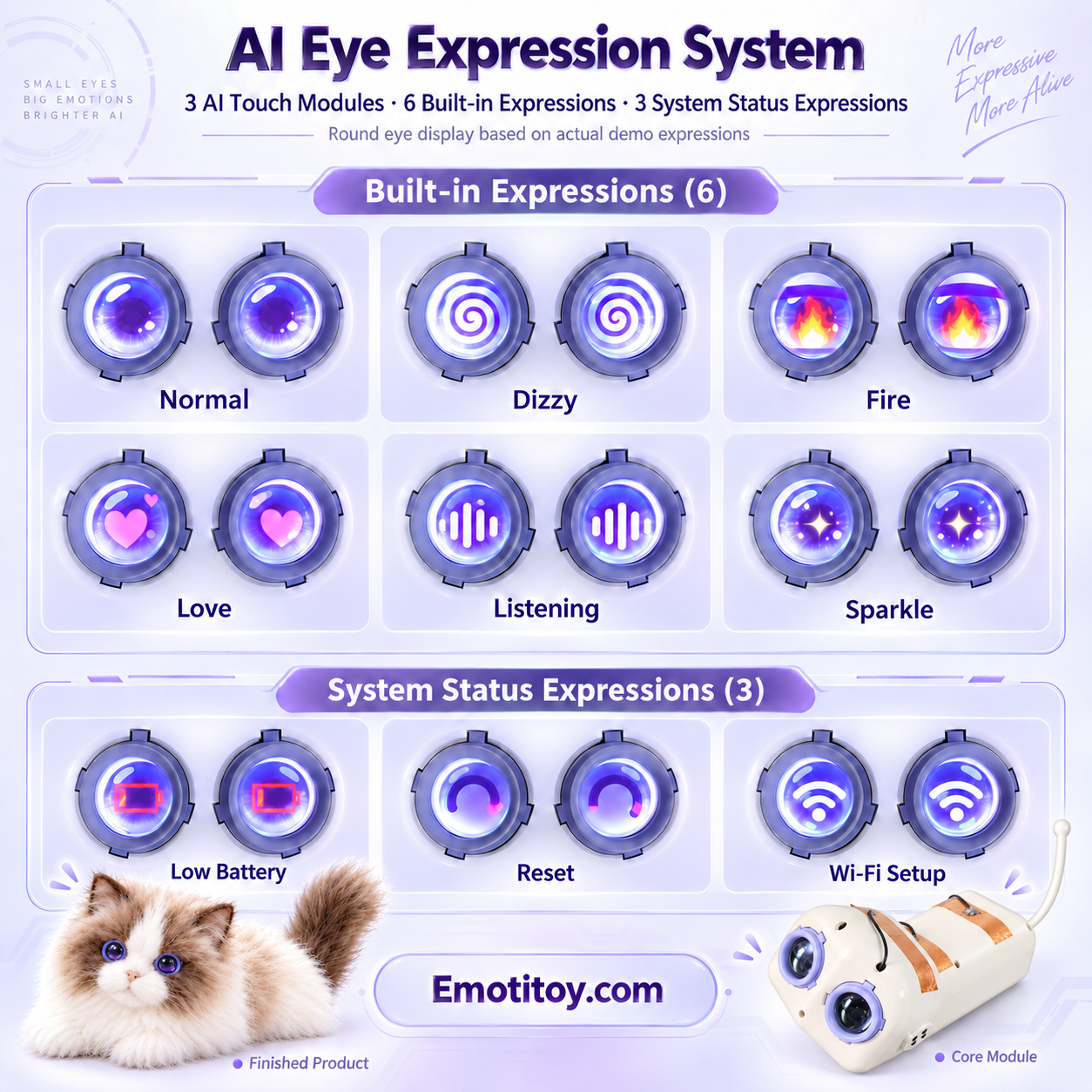
- an electronic-eye or display controller,
- an LED or vibration controller,
- a secondary MCU,
- or another expansion module.
A typical physical-response path may look like this:
AI or behavior decision → validated action command → UART protocol → motor controller → servo or motor
The AI model should not directly generate unrestricted electrical commands. A production design normally maps an approved action, such as “turn head left,” to a defined command set with movement limits, timing rules and safety controls.
For a practical example of how movement becomes part of the product experience, see How Servo Movement Changes an AI Plush.
UART Does Not Automatically Mean Motor Control
The presence of UART only confirms that a communication path may be available. It does not prove that the product can already control a head, arm, tail, wheel or facial mechanism.
Motor control also depends on:
- the electrical logic level and pin definition,
- baud rate and serial settings,
- the documented command protocol,
- motor drivers and power design,
- firmware on both sides of the connection,
- movement limits and protection logic,
- and the mechanical structure of the finished toy.
This is why buyers should ask whether the UART protocol is documented and available, not only whether the board has TX and RX pins.
A Connector Is Not the Same as an Open Protocol
A board may expose TX, RX and GND while the message format remains proprietary. Without command documentation, sample frames or firmware support, the physical connector alone may have limited value for custom development.
Before prototype work begins, confirm:
- Which UART port is available?
- What logic voltage is used?
- What baud rate and serial format are required?
- Is the command protocol documented?
- Can the buyer add commands or only use an existing command list?
- Who develops and maintains the motor-controller firmware?
These questions are especially important when adding electronic eyes, touch inputs or multi-axis servo movement to an AI robot toy.
What Is an API?
API stands for Application Programming Interface. It is a defined way for one software component or service to communicate with another.
An API is not necessarily a cloud API. Depending on the product architecture, an AI toy project may involve:
- a device-control API,
- an app API,
- a cloud-management API,
- an AI or LLM API,
- a user-account API,
- a content-management API,
- or an API for commands, logs, memory or OTA status.
For a connected voice toy, the wider service flow may include speech recognition, an AI Agent or LLM, text-to-speech, device management and the parent app. Our guide to ASR, LLM and TTS in AI toy voice interaction explains those cloud-facing layers in more detail.
“API Available” Is Too Broad
When a supplier says that an API is available, the buyer should ask which API and for which purpose.
Useful follow-up questions include:
- Can the buyer's app read device status?
- Can the buyer send approved device commands?
- Can the toy connect to a buyer-owned backend?
- Can the AI model be selected or replaced?
- Are API tokens issued to the buyer?
- Are rate limits, service fees and data regions documented?
- Is the API intended for development, production or both?
A platform may allow character, language, voice, prompt or welcome-message configuration while keeping the underlying AI service and device cloud closed. Configuration access is useful, but it is not the same as complete backend control.
Does an API Mean Any AI Model Can Be Used?
No. Model access depends on the selected platform architecture and commercial agreement.
A managed AI toy platform may coordinate:
- speech recognition,
- LLM or AI Agent services,
- text-to-speech,
- memory,
- content and child-safety rules,
- app accounts,
- device management,
- and OTA updates.
The buyer may be able to configure the character experience without receiving direct access to the underlying third-party LLM API.
In EmotiToy's current Tuya-based configuration, third-party LLM API access and a buyer-owned backend are not included as standard platform access. A project requiring those capabilities needs a separate architecture review and may require a custom controller, firmware, protocol, PCBA, app or cloud integration.
See LLM vs AI Agent: What Actually Powers an AI Toy? for the difference between the language model and the complete character system.
What Is an SDK?
SDK stands for Software Development Kit. It is a package of resources intended to help developers build on a platform.
An SDK may contain:
- libraries or headers,
- documentation,
- sample code,
- drivers,
- development and flashing tools,
- debugging tools,
- protocol definitions,
- and test examples.
However, “SDK available” is still incomplete information. The buyer should confirm whether it is a:
- device or firmware SDK,
- mobile-app SDK,
- cloud SDK,
- AI Agent SDK,
- or motor-control SDK.
An app SDK does not automatically provide device-firmware control. A firmware SDK does not automatically provide a hosted backend. Neither one automatically includes full source code or unrestricted redistribution rights.
For a common device-side architecture example, read ESP32-S3 for AI Voice Toys.
API vs SDK
The simplest distinction is:
API = the rules for communicating with a system.
SDK = tools and resources used to build with that system.
A project may provide an API without a full SDK. An SDK may also wrap multiple APIs while adding libraries, examples and development tools.
For OEM buyers, the practical issue is not which term sounds more open. The important question is whether the supplied access covers the exact function the product requires.
Five Levels of Access Buyers Should Separate
AI toy projects are easier to evaluate when access is divided into five levels:
- Physical interface — Are UART, GPIO, I2C, SPI or other connections available?
- Command protocol — Are message formats, commands and responses documented?
- Firmware control — Can approved device behavior be changed, built and flashed?
- Platform integration — Which app, device, cloud or AI APIs are available?
- Ownership and delivery — Who owns source code, accounts, API keys, data, deployment and maintenance responsibility?
A project can be open at one level and closed at another. Recording these five answers before development prevents “open platform” from becoming an undefined promise.
Example: AI Plush Toy Architecture
A typical connected AI plush product can be divided into four layers.
AI Interaction Layer
This may handle speech recognition, the AI Agent or LLM, text-to-speech, memory and character rules.
Hardware Control Layer
This may handle touch sensors, electronic eyes, LEDs, vibration, servo motors and other physical responses.
Device Communication Layer
UART, GPIO, I2C, SPI or another interface may connect the AI mainboard to local controllers and peripherals.
App and Cloud Layer
This may handle setup, user accounts, parent controls, character settings, device management, content and OTA updates.
Whether APIs or SDKs are available at any layer depends on the selected platform and the agreed development scope. The difference between device-side and cloud-side work is also covered in Offline AI vs Cloud AI for Smart Toys.
What EmotiToy Can Evaluate
EmotiToy supports B2B OEM/ODM development from electronic modules and plush integration to complete interactive products. Depending on the product and selected architecture, the engineering scope can include:
- AI module selection,
- UART-based hardware expansion,
- electronic-eye integration,
- touch and sensor integration,
- servo and motor-control development,
- AI character and voice configuration,
- custom PCBA and firmware evaluation,
- app or backend integration assessment,
- prototype development,
- and production engineering.
Selected EmotiToy solutions based on BK7258/T5 and supported platform configurations can provide audio, connectivity, OTA and hardware-expansion capabilities. Exact UART ports, protocols, API access, SDK availability and firmware rights must be confirmed for the selected module and project.
The EmotiToy AI Module page provides a product starting point. Buyers planning a finished character can also review our AI Voice Toy Solutions and OEM/ODM AI Toy Development guides.
OEM Buyer Checklist
Before approving a prototype, request written answers to these questions:
- Which physical interfaces are available?
- Is the electrical specification confirmed?
- Is the command protocol documented?
- Which device behaviors can be controlled?
- Which API or SDK is being offered?
- Can the buyer use a buyer-owned app, backend or cloud account?
- Can a third-party LLM be connected directly?
- Who supplies and owns API keys, source code and deployment accounts?
- Who is responsible for firmware, OTA and long-term maintenance?
- Which capabilities are standard, configurable or new custom development?
The AI Toy Demo to Prototype and Mass Production guide explains why these items should be verified before a demonstration is treated as a production-ready architecture.
Frequently Asked Questions
Does UART mean the AI toy has an open SDK?
No. UART is a device-side serial interface. An open SDK is a separate software and licensing deliverable.
Can UART control servo motors?
UART can carry commands to a motor controller, but the protocol, firmware, driver electronics, power design and mechanical system must all support the requested movement.
Does API access allow a buyer to use its own backend?
Not automatically. A platform API may expose only selected app or device functions. Buyer-owned backend integration must be confirmed separately.
Can an AI toy use a buyer's own ChatGPT or Gemini API key?
Only if the selected architecture supports direct third-party model integration. A managed platform may use AI models internally without exposing model-provider access to the buyer.
Does an SDK include source code?
Not necessarily. An SDK may contain compiled libraries, headers, tools, documentation and examples without supplying the platform's full source code.
Related EmotiToy Resources
- AI Robot Toy OEM/ODM Development
- AI Voice and Dialogue Toy Solutions
- EmotiToy AI Module
- ESP32-S3 for AI Voice Toys
- How AI Toy Voice Interaction Works
- How Servo Movement Changes an AI Plush
- Offline AI vs Cloud AI for Smart Toys
- AI Toy Demo to Prototype and Mass Production
Discuss Your Integration Requirements
If your project requires UART motor control, SDK access, API integration, a custom app, a buyer-owned backend or third-party AI services, send the required architecture together with the product concept, target market and estimated quantity.
EmotiToy can then separate standard platform capabilities from configurable OEM/ODM work and deeper custom engineering before prototype development begins.