A cloud-connected AI toy needs a path to the internet, but not every product should use the same connection method.
For some toys, home Wi-Fi is the simplest and most economical solution. Bluetooth Low Energy can make setup and local control easier. For products that need to work away from Wi-Fi, cellular connectivity such as 4G LTE can become relevant.
The important point is that Wi-Fi, Bluetooth and 4G LTE solve different problems.
They should not be treated as interchangeable checkboxes on a specification sheet.
Wi-Fi: The Standard Route for Home AI Toys
Wi-Fi is often the most practical connection for AI plush toys and smart companions mainly used at home.
Once connected to the user's router, the product can access cloud AI services without requiring its own cellular subscription.
Typical advantages include:
- direct internet access,
- high data throughput,
- compatibility with home networks,
- no separate SIM plan for the device,
- and broad support across IoT platforms.
For voice-based AI toys, Wi-Fi can support cloud speech and AI interaction while keeping the hardware architecture relatively simple.
The Main Limitation of Wi-Fi Is Mobility
A Wi-Fi product works well where a known network is available.
It becomes less convenient when the toy is used:
- outdoors,
- in a car,
- while traveling,
- between multiple homes,
- or in locations where the user cannot easily configure Wi-Fi.
That does not make Wi-Fi a poor choice. It simply means the intended use environment should be defined before the hardware is selected.
Bluetooth Is Usually Not the Internet Connection
Bluetooth is frequently misunderstood in smart-toy specifications.
Bluetooth can connect the toy to a nearby phone or tablet, but it does not automatically give the device independent cloud access.
Bluetooth Low Energy is especially useful for:
- device discovery,
- onboarding,
- Wi-Fi provisioning,
- local configuration,
- nearby control,
- exchanging small amounts of data,
- and selected sensor functions.
The Bluetooth SIG describes Bluetooth LE as a low-power radio designed for flexible device communication across several topologies.
For many smart products, BLE complements Wi-Fi rather than replaces it.
A Common Wi-Fi + BLE Architecture
A practical smart-toy setup can be:
Phone App
↓ BLE during setup
Toy
↓ Wi-Fi after configuration
Cloud / AI Service
In this design, Bluetooth makes onboarding easier while Wi-Fi handles ongoing internet communication.
Once the toy has joined the home Wi-Fi network, it may no longer need the phone nearby for normal cloud interaction.
Bluetooth Classic and Bluetooth LE Have Different Strengths
Bluetooth technology includes different radio modes.
Bluetooth Classic is widely associated with continuous audio streaming applications such as speakers and headphones.
Bluetooth LE is designed for very low power operation and is widely used for connected-device communication, control and discovery.
The correct choice depends on whether the product needs:
- continuous audio streaming to another device,
- low-power setup/control,
- local accessories,
- or only cloud voice through Wi-Fi.
A specification that says only “Bluetooth 5.x” does not explain the actual product architecture.
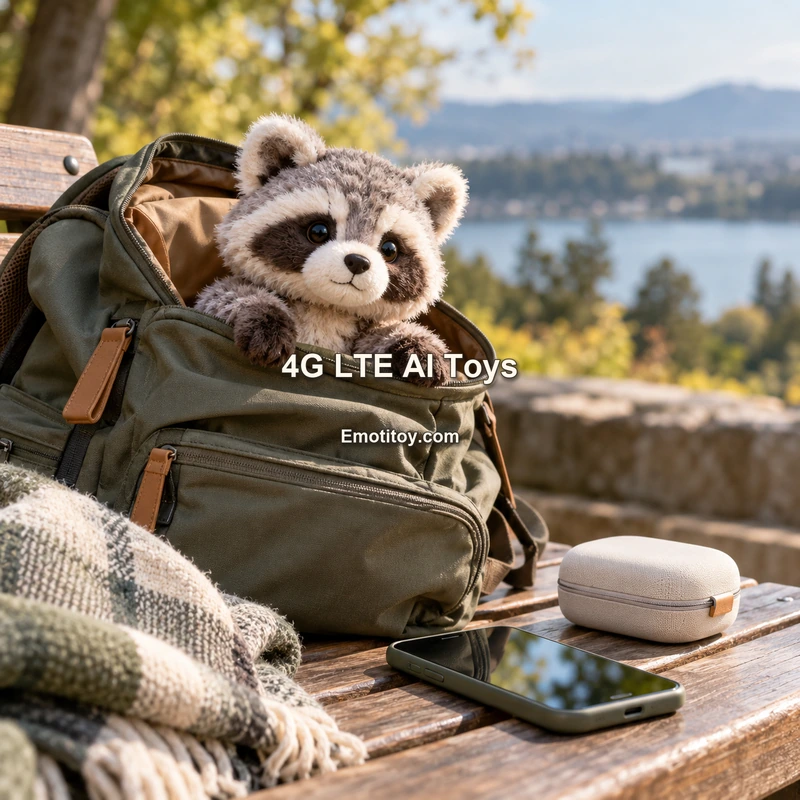
When 4G LTE Becomes Relevant
Cellular connectivity changes the product from a home-network device into a product that can potentially reach cloud services wherever compatible mobile coverage is available.
This can be valuable for use cases such as:
- travel companions,
- remote family communication devices,
- companion products used away from home,
- products deployed where user Wi-Fi cannot be assumed,
- or devices that need a more independent connection path.
A cellular product can use a SIM or another supported cellular subscription arrangement depending on the selected module and deployment model.
4G LTE Adds More Than a Module Cost
A common mistake is to compare only the hardware price of a Wi-Fi module and a 4G module.
Cellular connectivity can introduce additional considerations such as:
- SIM or subscription management,
- carrier compatibility,
- regional frequency support,
- antenna design,
- power consumption,
- certification scope,
- roaming strategy,
- device provisioning,
- and ongoing connectivity service.
For an international product, the cellular plan can become a commercial architecture decision as important as the electronics.
4G Does Not Replace Local Connectivity in Every Design
A cellular AI toy may still include Bluetooth for setup or service functions.
Some products may include Wi-Fi and cellular connectivity together, using different networks depending on availability or product mode.
For example:
BLE → onboarding and local settings
Wi-Fi → primary low-cost home cloud connection
4G LTE → mobility or fallback where the product design supports it
This provides flexibility but also increases hardware, firmware and testing complexity.
Power Consumption Must Be Considered Early
AI toys are often battery-powered.
Wireless radios can have a significant effect on battery life.
The real power profile depends on:
- how often the radio wakes,
- connection quality,
- transmission duration,
- cloud interaction frequency,
- standby strategy,
- and battery capacity.
A cellular radio operating under poor signal conditions may behave very differently from a Wi-Fi product sitting next to a home router.
Therefore battery life should be measured on the intended network architecture and target use pattern.
Antenna Design Is Part of the Physical Toy
Wireless performance is not determined only by the chipset.
The antenna sits inside a physical product surrounded by:
- PCB,
- battery,
- speaker,
- motors,
- wiring,
- plastic enclosure,
- and plush material.
Placement and structure can affect radio performance.
For custom AI toys, RF planning should therefore happen before the internal layout is frozen.
This becomes especially important when several radios—such as Wi-Fi, BLE and cellular—share a compact product.
Cloud AI Requires Internet Somewhere in the Architecture
If the core conversational experience is cloud-based, the product ultimately needs internet access.
That access may come from:
- the toy's own Wi-Fi,
- the toy's own cellular modem,
- or in some architectures, a connected phone acting as a gateway.
The phrase “supports Bluetooth” should not be interpreted as “supports independent cloud AI” unless the complete path to the internet is defined.
A Phone-Gateway Architecture Is Another Option
Some products can avoid putting Wi-Fi or cellular directly in the toy by using the phone as a gateway.
For example:
Toy ↔ Bluetooth ↔ Phone App ↔ Internet ↔ AI Cloud
This can reduce some device-side complexity, but it means the toy may depend on the phone being nearby and the app running correctly.
For a children's toy intended to work independently in a bedroom, that may be undesirable.
For an accessory designed to be used next to a smartphone, it may be perfectly reasonable.
Choose Connectivity From the User Scenario
A useful decision process starts with where the product will actually be used.
Mostly at home
Wi-Fi + BLE onboarding is often a strong starting point.
Always used next to a phone
A BLE/phone-gateway architecture may be worth evaluating.
Used independently while traveling
Cellular connectivity may justify its added complexity.
Used in multiple regions
The team must evaluate network standards, carriers and compliance for each market.
Connectivity Also Affects Setup Experience
A technically functional product can still fail if setup is frustrating.
Product teams should design:
- first power-on,
- account registration,
- device discovery,
- Wi-Fi password entry,
- network-change flow,
- reconnect behavior,
- and reset/rebinding instructions.
BLE can improve onboarding, but the user experience still needs to be tested with people who are not engineers.
What Happens When the Network Disappears?
Every connected toy should define its offline behavior.
Possible fallback functions include:
- local touch responses,
- basic commands,
- local audio,
- network-status prompts,
- simple movement,
- or a clear message that cloud conversation is temporarily unavailable.
A product that becomes completely silent during a temporary network problem can feel broken even when the hardware is functioning correctly.
A Practical Connectivity Checklist
Before selecting the radio architecture, confirm:
- Where will the toy normally be used?
- Must it work without a smartphone nearby?
- Must it work outside the home?
- Does it need direct cloud access?
- Is BLE required for onboarding?
- Is Wi-Fi available in the normal use environment?
- Is cellular connectivity commercially justified?
- Which countries will be supported?
- What battery life is required?
- How many antennas and radios are needed?
- How will connectivity be tested inside the final enclosure?
- What happens when the internet is unavailable?
There Is No Single “Best” Connection
Wi-Fi, Bluetooth and 4G LTE each have a clear role.
Wi-Fi is well suited to direct cloud access in homes and known networks.
Bluetooth LE is excellent for low-power local connection, onboarding and nearby control.
4G LTE can provide greater independence and mobility, but with additional hardware, power, service and deployment complexity.
For AI toy development, connectivity should be selected from the product's real use case—not added as a feature list after the industrial design is complete.
Official Sources
- Bluetooth SIG — Bluetooth Technology Overview
https://www.bluetooth.com/learn-about-bluetooth/tech-overview/
- Bluetooth SIG — Bluetooth Low Energy Primer
https://www.bluetooth.com/bluetooth-resources/the-bluetooth-low-energy-primer/
- GSMA — Internet of Things
https://www.gsma.com/solutions-and-impact/technologies/internet-of-things/
- Tuya Developer Platform — IoT Documentation
https://developer.tuya.com/en/docs/iot