A Color Screen Can Become Part of the Character
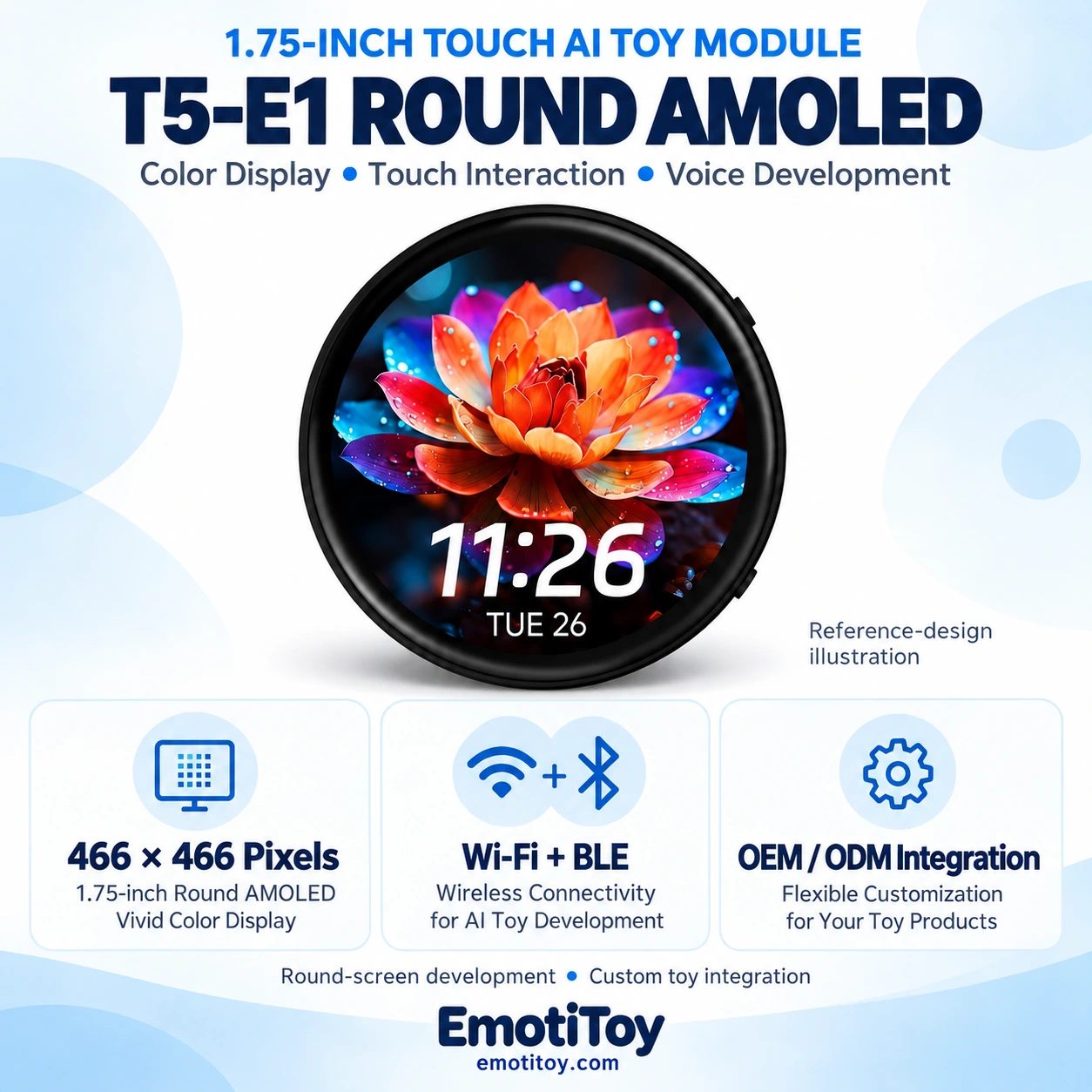
EmotiToy is introducing a round AMOLED touch module development direction for compact AI companions, electronic character concepts and interactive toys. The T5-E1 1.75-Inch Round AMOLED Touch AI Toy Module brings a color interface into the same product brief as voice, touch and motion input.
For an OEM/ODM buyer, the first question is practical: what should the character show, what should a touch do, and how should that response connect to sound or conversation? A development sample helps answer those questions before a custom enclosure and production configuration are approved.
A Compact Color Touch Starting Point
The reference configuration uses a 1.75-inch circular AMOLED display with 466 × 466 pixels and capacitive touch. Its T5-E1 platform includes Wi-Fi and Bluetooth LE connectivity, audio facilities, a six-axis IMU, a real-time clock and TF-card expansion.
These hardware resources provide a starting point for development. The application software determines the character states, menu behavior, voice interaction and use of stored media. A display specification alone does not establish a finished virtual-pet game or a fixed number of animations.
The standard model does not include the separate GPS option. A camera and 4G modem are not specified as standard hardware for this board. Select the configuration around the intended experience rather than assuming every peripheral is included.
Make Each Screen State Useful
An animated face is most effective when it helps explain what the device is doing. A listening state can indicate that voice input is active. A short visual response can acknowledge a touch. A clear menu can help users change a mode without memorizing button combinations.
Start with a coherent set of states and define how the character moves between them. Approve artwork, sound cues and timing together. This creates a working interaction that can be evaluated, rather than an expression count with no agreed behavior.
| Design layer | What to define | What to review on the sample |
|---|---|---|
| Character display | Idle, listening and response artwork | Whether the current state is clear |
| Touch controls | Menu selection and approved triggers | Whether controls are easy to find and use |
| Audio | Cues, voice and volume behavior | Intelligibility and speaker feedback |
| Motion input | Responses to moving the device | Consistency during intended use |
| Network states | Connected, reconnecting and offline behavior | Whether available functions are understandable |
These are development options, not a list of functions preinstalled on every sample.
Design for the Round Viewport
A circular interface needs more than a rectangular image cropped to fit. Keep important labels and touch controls away from the outer edge. Check the character at the actual screen size, including its appearance during a spoken response.
For a branded project, prepare editable artwork, required screen states and a short description of each interaction. Agree the asset format and memory budget before producing a large animation set. The approved interface should be tested on the selected board revision, not only on a computer mockup.
Bring Voice and Touch into One User Flow
Specify how a conversation starts, how the toy indicates listening and how it returns to idle. Define what happens when the network is unavailable and which local functions remain useful.
Online AI needs a configured backend and network. Language, voice, service region and usage costs form part of the project scope. Wireless connectivity does not automatically establish access to a buyer's own AI service or a Bluetooth music mode.
Mechanical design also affects the experience. Speaker placement, microphone openings, charging access and button positions should be reviewed alongside the display. Evaluate the assembled sample for sound clarity, touch access and usable brightness.
From Module Evaluation to a Finished Product
A desktop character, electronic badge concept and plush toy face may share a visual idea while needing different construction. Each format requires an appropriate enclosure, mounting arrangement and power design. A development board does not by itself establish a finished badge or certified retail toy.
EmotiToy's OEM/ODM review starts with the intended user, market, quantity and character concept. The work can be scoped to include UI assets, interaction logic, enclosure development, audio integration and sample preparation. Additional motors or sensors need their own electrical and mechanical review.
A useful development brief includes:
- Product format and intended use.
- Character artwork and screen states.
- Touch actions and voice activation.
- Languages, backend requirements and service expectations.
- Battery arrangement and intended session length.
- Target quantity, packaging and sample acceptance criteria.
Battery runtime, dimensions, weight and test requirements follow the approved assembly. The final quotation should distinguish the base hardware, accessories, development work and production responsibilities.
Plan the Next Step Around a Working Sample
The round AMOLED direction offers a compact color touch interface for character development. The next step is a working sample with an agreed feature set, followed by review of display behavior, audio, touch response, network reconnection and power performance.
Contact EmotiToy with your character artwork, target market and quantity to discuss the development scope. The illustration accompanying this article shows a reference design; it is not a photograph of an independently validated EmotiToy production unit.