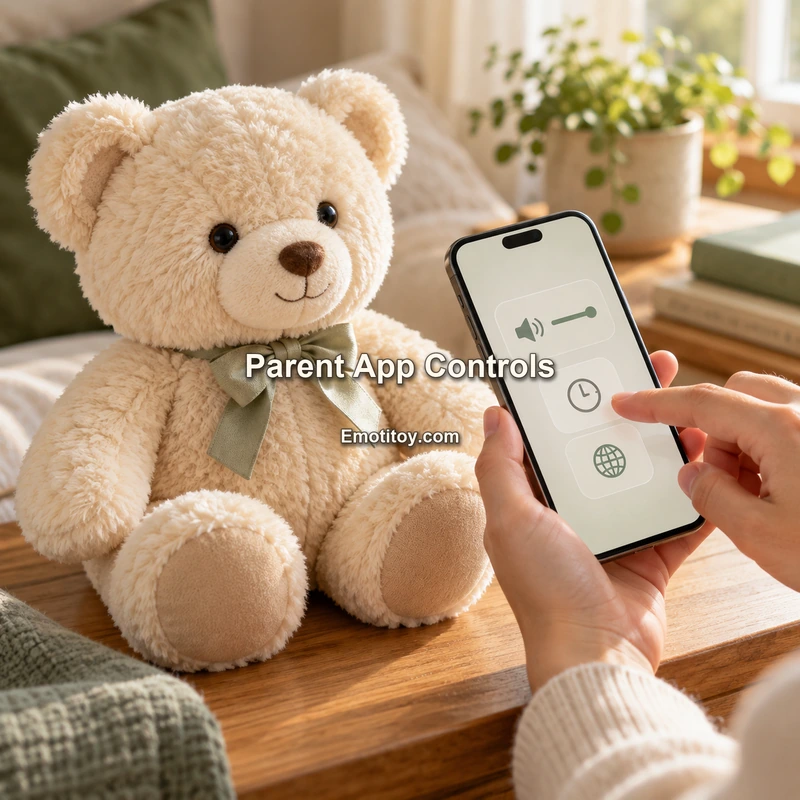
A parent app for an AI toy should do more than connect the device to Wi-Fi.
As AI toys become more conversational, personalized and cloud-connected, the mobile app increasingly becomes part of the product's safety, privacy and user-management layer.
Tuya's AI Toy App solution and AI Toy panel documentation provide a useful reference for how this type of interface can be structured.
For brands and OEM/ODM teams, the key question is no longer simply whether the toy has an app.
The more useful question is:
What does the parent actually need to control?
1. Device Binding and Setup
The most basic function is still device onboarding.
A parent may need to:
- Create or sign in to an account
- Bind the AI toy to the account
- Connect the device to Wi-Fi
- Use Bluetooth during pairing or configuration
- Confirm that the correct device has been added
This process should be simple because the parent is often configuring the toy before giving it to the child.
A complicated setup experience can make an otherwise strong product feel unfinished.
2. Device Status
After setup, the parent should be able to understand whether the toy is working normally.
Depending on the hardware and platform configuration, useful information may include:
- Battery level
- Online/offline status
- Connection status
- Device name
- Firmware information
- Basic error or update status
Tuya's AI Toy panel templates include common device-control elements such as battery and volume information, showing that the app can function as an operational dashboard rather than only a setup screen.
3. Volume and Audio Controls
An AI toy is usually a voice-first product.
That makes audio settings especially important.
A parent interface may allow control of:
- Speaker volume
- Voice choice
- Speaking speed
- Language
- Optional sound effects
These settings affect both usability and comfort.
A product intended for bedtime use, for example, may need a very different audio profile from an educational toy used during the day.
4. Language Selection
Multilingual support is one of the major advantages of cloud-connected AI toys.
However, language selection should be handled clearly.
The app may need to define:
- Primary interaction language
- Available voice language
- Region-specific language options
- Whether language switching is parent-controlled or user-controlled
For voice AI, language support is not only a user-interface translation issue. The selected language also needs compatible speech recognition and text-to-speech services.
This is why language settings belong in the product architecture rather than only the marketing specification.
5. AI Character or Agent Selection
An AI toy can support one fixed character or multiple AI roles.
Tuya's AI Agent and AI Toy panel documentation includes role and agent-related functions that can be used to select or bind AI characters to the device.
For a branded product, the parent app might allow selection between:
- Different character personalities
- Different educational modes
- Bedtime and daytime modes
- Different voices
- Different approved content packages
The brand should decide whether the child can switch characters freely or whether this remains a parent-controlled setting.
6. Voice Management
The voice is a major part of the character identity.
An app may allow the parent to choose between approved voices or adjust how the AI sounds.
This should be handled carefully for child products.
Not every voice feature available in a general AI platform is necessarily appropriate for a child-oriented product or every region.
For example, voice cloning or biometric-style features may require additional privacy review and may be restricted under child-safety configurations.
A safer design is to expose only the voice options that have been approved for the specific product.
7. Conversation History
Conversation history can be useful, but it is also one of the most sensitive areas in an AI toy app.
A parent interface may provide limited access to interaction history, depending on the product architecture and selected child-safety settings.
The important questions are:
- Is history stored at all?
- For how long?
- Can parents delete it?
- Does the app show complete transcripts or only selected summaries?
- What happens when the device is unbound?
Tuya's Child Safety Mode places limits on permanent retention for child conversations, which means the app design should match the configured retention policy.
8. Data Deletion
A modern connected toy should include practical data-management controls.
For child-focused products, parents should understand how to:
- Clear chat history
- Delete selected stored data
- Unbind the device
- Delete or manage the account where appropriate
This is not merely a legal requirement displayed in a privacy policy.
It is a user-experience requirement.
If the privacy policy says users can delete their data but the app provides no clear mechanism, the product experience is incomplete.
9. Usage Controls
Conversational AI can encourage long sessions because the toy can continue responding indefinitely.
A parent app can provide useful controls around interaction time, allowed periods or other usage settings.
Tuya's child-safety framework also includes continuous-use reminders, which can be part of a broader digital-wellbeing design.
Possible parent controls may include:
- Daily interaction windows
- Bedtime restrictions
- Maximum continuous-use periods
- Quiet hours
The exact configuration depends on the product and age group, but the principle is important: the app should help parents manage the experience rather than only observe it.
10. Safety Notifications
Some child-oriented AI systems may need to react to particularly sensitive interactions.
Tuya's child-safety documentation includes safety-alert concepts for selected high-risk content while also considering the privacy of the original conversation.
This creates an important design challenge.
A parent needs enough information to respond appropriately, but the system should not automatically expose every private conversation simply because an alert exists.
Brands should therefore define carefully:
- Which events generate alerts
- What information the alert contains
- Whether the original conversation is shown
- How false positives are handled
11. Firmware and OTA Updates
AI toys are also connected electronic products.
The app can play an important role in communicating firmware updates and device maintenance.
Over-the-air updates allow manufacturers to improve device behavior after production, but they also create security and support responsibilities.
The app experience should make it clear when an update is required, whether it happens automatically and what the user should do if the device goes offline during the process.
12. Public App or Branded OEM App?
Brands also need to decide which app strategy fits the product.
One route is to use an existing platform ecosystem during development or early commercialization.
Another route is to launch a branded OEM App.
Tuya's AI Toy OEM App solution supports branded elements and AI toy functions, but a branded app also means the brand needs to take a more active role in areas such as:
- User agreement
- Privacy policy
- Data-controller responsibilities
- Regional account settings
- Data-center mapping
- App-store management
- Customer support
The choice should be based on the product's commercial stage and brand strategy rather than assuming every AI toy needs a custom app from day one.
A Parent App Should Reflect the Actual Product Architecture
The strongest parent app is not the one with the largest number of buttons.
It is the one that clearly exposes the controls that matter for the selected product.
A simple AI plush may need only a limited set of device, language and safety controls.
A more advanced AI companion may need character management, multiple voices, detailed data controls and richer parent-management functions.
The app should therefore be designed after the product architecture is defined, not before.
A Practical Parent-App Checklist
For a child-focused AI toy, an OEM/ODM team should confirm at least the following before finalizing the app scope:
- How is the device bound and connected?
- Which device status information is visible?
- Who controls language and voice?
- Can the parent select or change the AI Agent?
- Is conversation history available?
- What is the retention period?
- How can parents clear data?
- Are usage-time controls required?
- Are safety notifications required?
- How are firmware updates managed?
- Is the product using a standard app or branded OEM App?
- Which privacy and regional data responsibilities belong to the brand?
When these questions are answered early, the app becomes a useful part of the product rather than a last-minute accessory.
For next-generation AI toys, the parent layer is increasingly as important as the child-facing character itself.
Official Sources
- Tuya AI Toy OEM App Solution
https://developer.tuya.com/en/docs/iot/ai-toys?id=Kel8ydli0zc5y
- Tuya AI Toy Panel Template
https://developer.tuya.com/en/miniapp-codelabs/codelabs/panel-ai-more-agent-guide/index.html
- Tuya Child Safety Mode
https://developer.tuya.com/en/docs/iot/security_compliance?id=Kfezdig2xq0x9
- Tuya Data Privacy Trust Center
https://www.tuya.com/trustcenter/data_privacy